Create the cover sheet
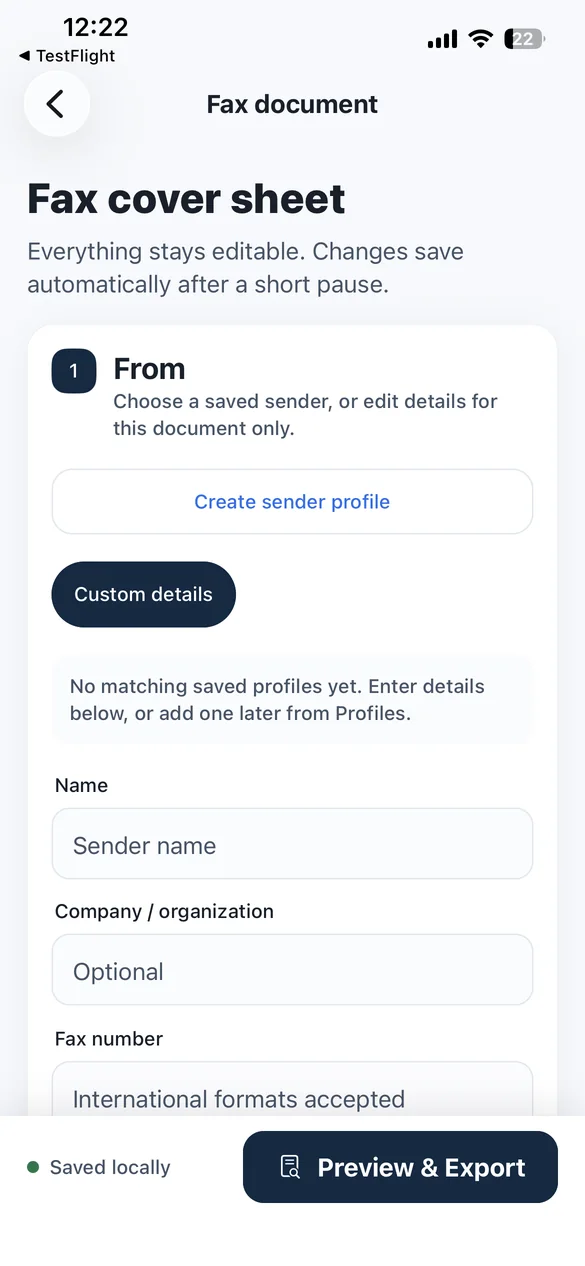
Add sender, recipient, date, subject, message, page details, and optional flags such as Urgent, For Review, Please Reply, or Confidential.
 FaxPage
Fax cover sheet app for iPhone & iPad
Add a professional cover page, combine PDFs and photos, then export one fax-ready file to print, share, or use with your existing fax service. Everything is prepared on your device.
$2.99 once · No subscription · No account · No ads
Document preparation only: FaxPage does not transmit or receive faxes and does not provide a fax number.
From blank page to fax-ready packet
Skip the word processor, loose attachments, and last-minute page-count math. Build the complete file in one focused workflow.
Add sender, recipient, date, subject, message, page details, and optional flags such as Urgent, For Review, Please Reply, or Confidential.
Import from Files or Photos, receive supported files through the iOS share sheet, and arrange every attachment in the right order.
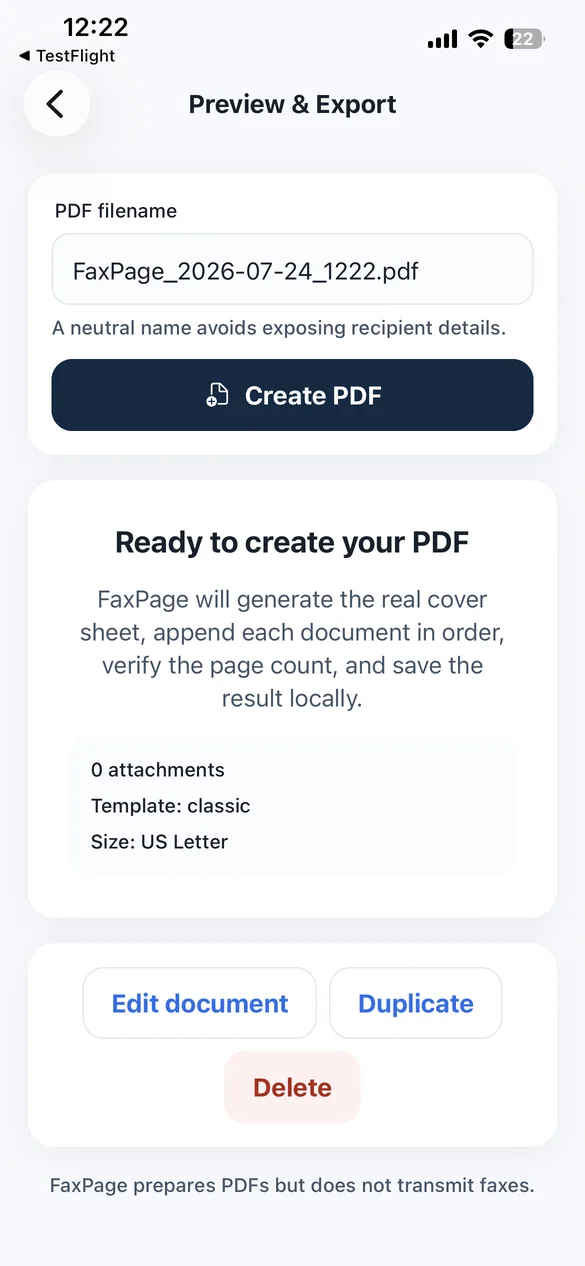
Review the actual output and total page count, then share, print, or save the fax-ready PDF for use with the service or device you already trust.
A complete fax packet builder
FaxPage creates the cover page and assembles the entire packet, so you are not left stitching files together in a second app.
Built for repeatable work
A focused toolkit for people who prepare documents often—and people who only need one polished packet today.
Save sender and recipient details, choose a default sender, and reuse them later.
Return to in-progress documents without rebuilding the cover page from scratch.
Choose the page standard that fits the recipient and keep exports print-ready.
Create a standalone fax cover page when you do not need to attach another file.
Stage supported PDFs and images from the iOS share sheet for confirmed import.
Use and edit confidentiality text for your workflow—without a compliance claim.
Review the combined output rather than guessing how many pages are in the packet.
Use the interface you prefer; exported pages stay white and print-friendly.
Built for the fax workflow you already have
FaxPage is useful wherever a recipient still asks for a cover page and a single, ordered PDF. You choose the appropriate transmission method.
Prepare records requests, benefit forms, referral paperwork, or insurance documents without uploading the packet to FaxPage.
Add a consistent cover sheet, combine signed files, and hand the finished PDF to an approved office transmission channel.
Assemble authorizations, disclosures, and supporting pages while away from the office scanner or desktop.
Reuse sender and recipient profiles for vendors, partners, and recurring paperwork without a monthly fax-app fee.
Prepare leave, employment, authorization, or records packets with a clear subject, message, and page count.
Turn a form, a few photos, and a professional cover page into one file—without starting a subscription.
FaxPage is a general-purpose document tool. It does not provide HIPAA, legal, medical, filing, delivery, or regulatory compliance.
The right tool for the preparation step
FaxPage is deliberately not another fax carrier. It owns the step most services treat as an afterthought: preparing the document correctly.
| Capability | FaxPage | Typical online fax service | Blank template / editor |
|---|---|---|---|
| Pricing model | $2.99 once | Often recurring or per page | Varies |
| Account required | No | Often | Usually no |
| Creates cover + combines attachments | Yes, in one workflow | Varies by service | Usually manual |
| Developer document upload | No | Required for transmission | Depends on the editor |
| Transmits a fax | No—preparation only | Yes | No |
“Typical” describes common product categories, not every service. Always review the current pricing, privacy, and terms of the tools you choose.
Private by design
FaxPage has no account, application backend, analytics, advertising, or remote document-processing service. The core workflow runs locally on your iPhone or iPad.
Read the Privacy PolicyClear by design
No fuzzy “free fax” promise. No hidden transmission claim. You know exactly what you are buying before you tap download.
Straight answers
No. FaxPage prepares fax-ready PDF documents. It does not send or receive faxes, provide a fax number, or confirm delivery. Use a separate fax service, app, printer, or fax machine to transmit the finished file.
Yes. Create the cover page, import one or more PDFs or photos, place them in the right order, and export one combined PDF with the cover sheet first.
Yes. Attachments are optional, so you can create, preview, print, or share a standalone cover sheet.
No. FaxPage is a $2.99 upfront App Store purchase. It has no account, subscription, in-app purchase, advertising, or paywall.
The FaxPage app processes documents locally and has no developer-operated document-upload backend. A file leaves FaxPage only when you deliberately share, print, save, or open it in another destination. That destination’s privacy terms then apply.
Yes. US Letter is the default, and A4 is available. Imported PDF pages keep their original size and orientation inside the combined output.
FaxPage is a general-purpose document-preparation app and does not claim HIPAA, legal, medical, security, or regulatory compliance. Local processing alone does not make a complete workflow compliant. You are responsible for choosing an appropriate document and transmission method.
FaxPage is designed for iPhone and iPad running iOS or iPadOS 16.4 or later.
Create the cover page, combine every attachment, and review one professional PDF on the device already in your hand.
$2.99 upfront. No subscription or in-app purchases. Available for iPhone and iPad.